 SeePet
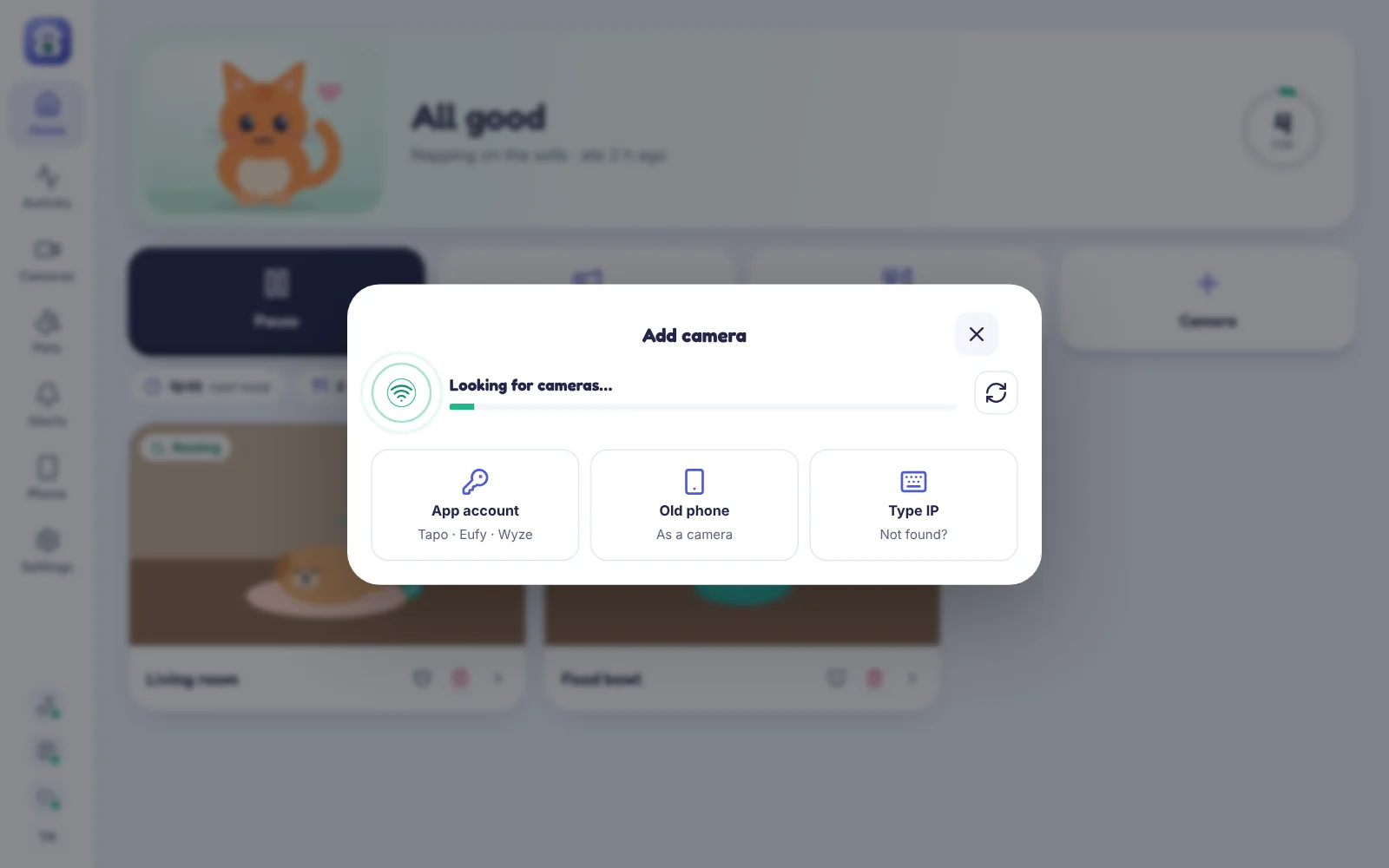
Find your camera
SeePet scans your Wi-Fi and lists the cameras it finds. Pick yours and type its password — that’s it.
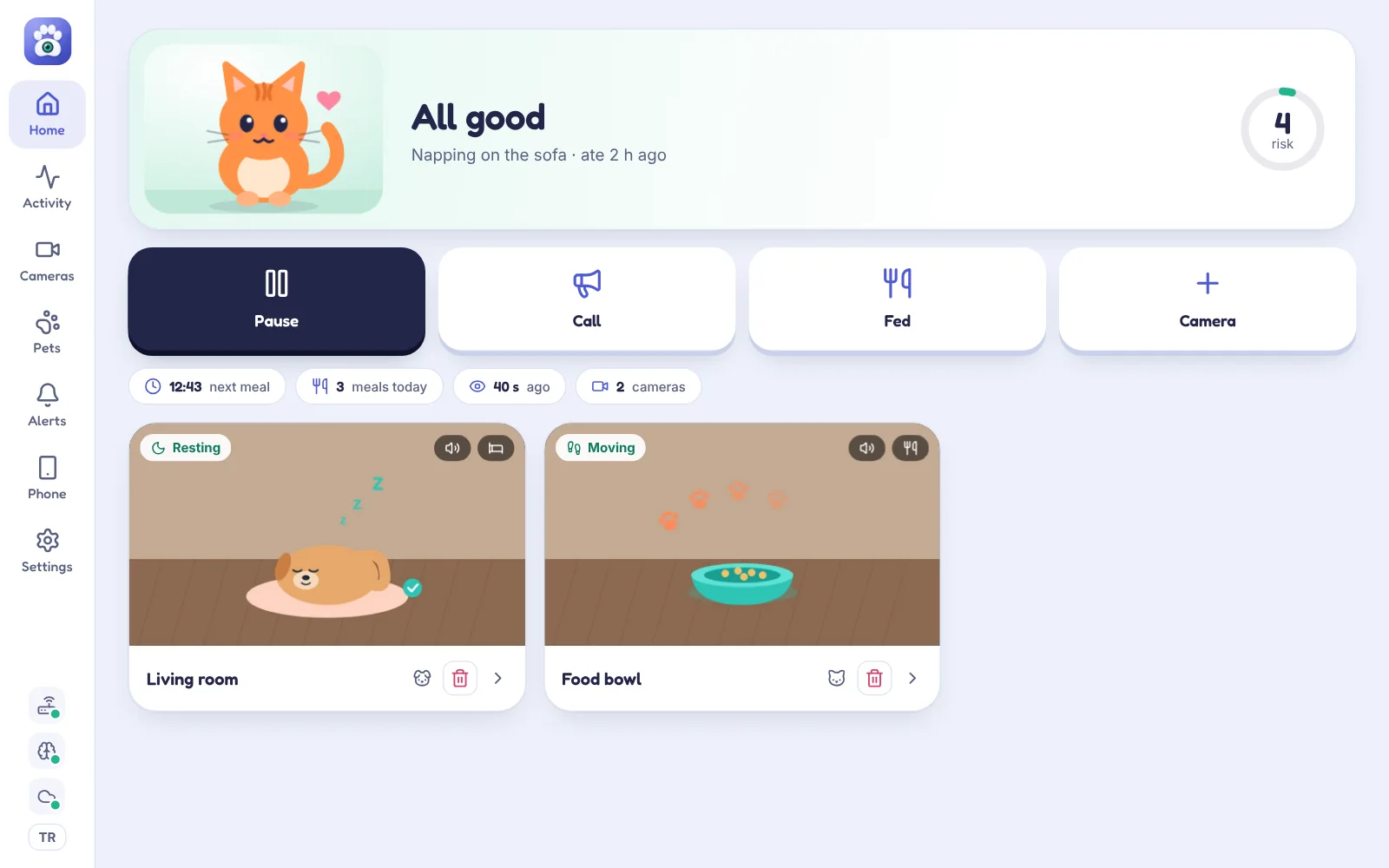
SeePet turns the cameras you already have into a calm, attentive pet sitter. It learns your pet’s routine, notices when something is off, tries to call your pet — and only then asks for your attention.
Works with
No IP addresses, no stream URLs, no settings pages. SeePet does the technical part.
SeePet scans your Wi-Fi and lists the cameras it finds. Pick yours and type its password — that’s it.
Meals, naps, favourite rooms. After a few days SeePet knows what a normal day looks like for your pet.
A clear risk score and the reason — only when something really looks wrong. Text only, never a picture.
Point a camera — or an old iPhone — at the food bowl and SeePet keeps a meal log automatically, learns the rhythm and spots changes.
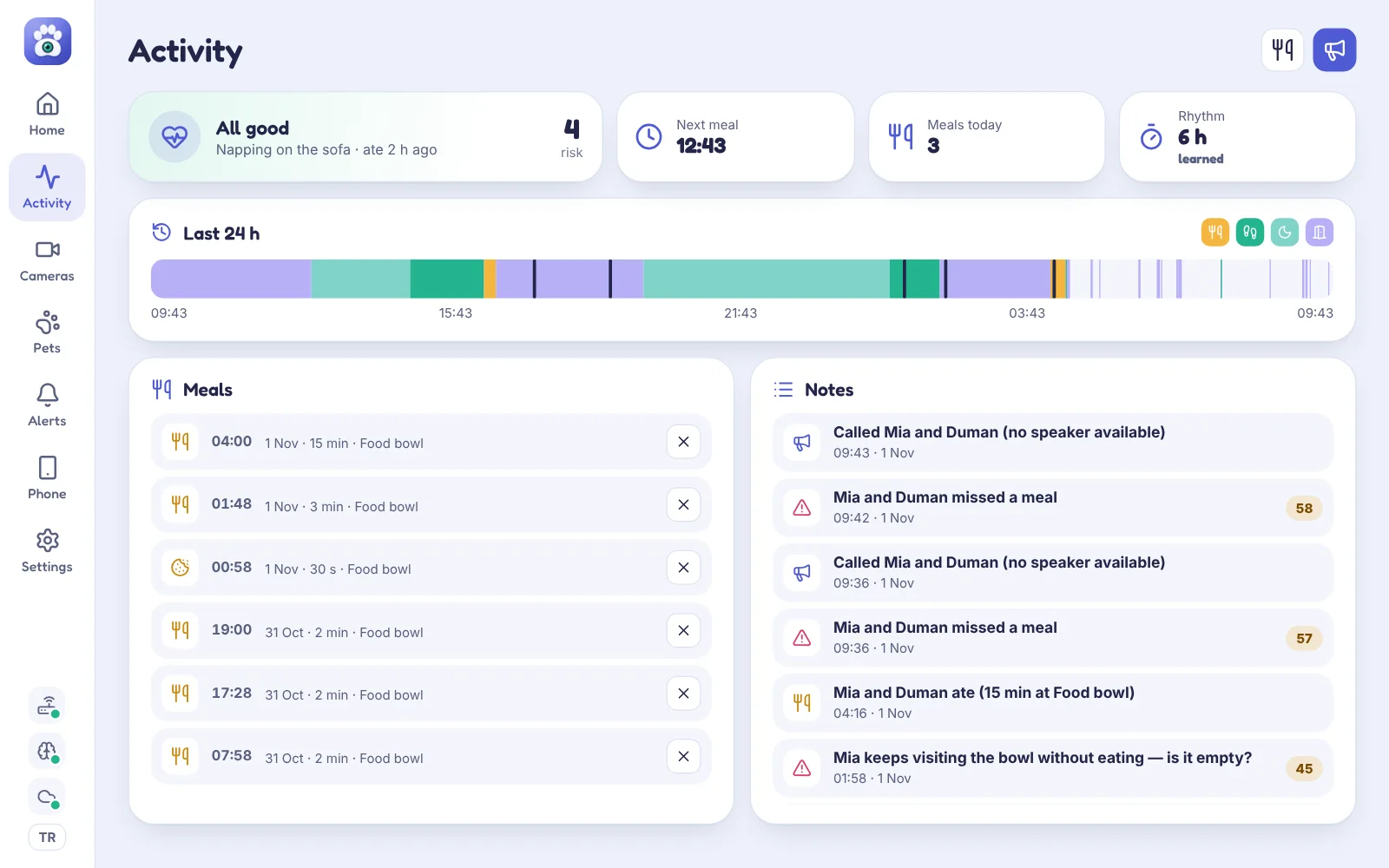
Pets nap. Pets hide. SeePet doesn’t panic — it checks first.
SeePet finds cameras on your network automatically and works out the right connection by itself.
Recognises cats and dogs, measures movement and posture — locally.
Tells meows, barks, whines and hisses apart, and guesses what your pet wants.
Every signal combined into a single number from 0 to 100, with the reasons.
Turn a spare phone into a camera with microphone and speaker.
Warnings wait until morning. Urgent alerts always come through.
The apps, alerts and this site speak both languages.
Install SeePet on a spare iPhone, choose “Be the pet camera” and stand it in front of the food bowl.
SeePet was designed so that nothing in your home is ever reachable from the internet — and nobody, including us, can read your alerts.
Your Mac only makes outgoing connections. Nothing to configure on your router, nothing exposed.
Alerts are text only and encrypted with AES-256-GCM before they leave your Mac. Only your iPhone has the key.
All analysis runs on your computer. Camera streams stay on your local network.
Secrets are stored in the macOS and iOS Keychain — never in plain files.
Every message is signed and time-stamped; replays and tampering are rejected.
The relay forwards encrypted alerts and push notifications. It keeps at most the last 60, unreadable.
Yes. SeePet is the sitter, so the Mac running it should stay awake while you are away. It uses little power — it analyses about two frames per second per camera.
Most cameras that work with their own app on your Wi-Fi: TP-Link Tapo, Reolink, Hikvision, Dahua and Imou, EZVIZ, Amcrest, Foscam and any ONVIF camera. Eufy and Wyze can be added by signing in (beta). Xiaomi cameras do not offer a local stream and are not supported — an old iPhone works instead.
No. Your own iPhone receives the alerts. An old iPhone is only needed if you want a camera in front of the food bowl.
It combines movement, where your pet was last seen, the learned meal rhythm and sounds into one risk score. Before an urgent alert it plays a call sound and waits for a reaction.
Recognising the type of sound — meow, bark, whine, hiss — is reliable. What your pet wants is an estimate shown with a confidence level, and it improves when you confirm or correct it. It is never a veterinary diagnosis.
Nothing readable. Video and analysis stay on your Mac; alerts are end-to-end encrypted. See the privacy page for details.
Install SeePet on the Mac that stays at home and add your first camera in a couple of minutes.
macOS 12 or later · Apple silicon and Intel
